So you're ready to launch your Shopify store, but you have no idea what it's actually going to cost you. That's a fair place to be, because the honest answer isn't a single number. It depends on how complex your store is, whether you're doing it yourself or hiring someone, and how serious you are about getting it right from day one.
The cost to set up a Shopify store can range from as little as $100 to $200 (if you're a DIY type on a tight budget) all the way to $15,000 or more if you're working with a professional agency to build something polished, scalable, and ready to convert. Some enterprise builds push well past $50,000.
That's a massive range. So let's break down exactly what drives it, what each line item actually costs, and how to figure out what you need based on where your business is right now.
First: The Shopify Platform Cost
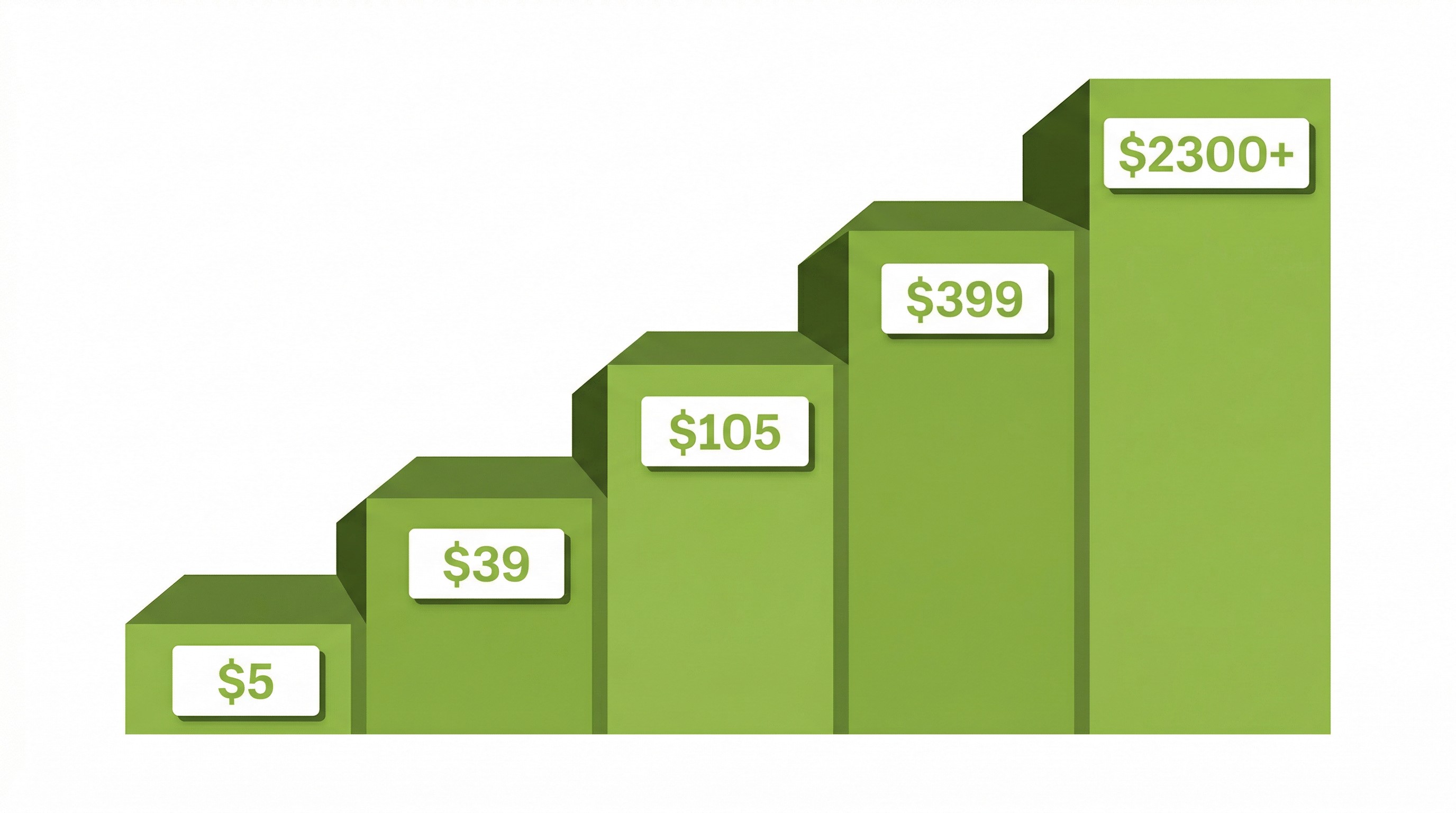
Before you even think about design or development, you'll need a Shopify plan. This is your baseline cost, and it's non-negotiable. Here's what the plans look like in 2026:
Starter Plan — $5/month. This isn't a full online store. It's designed for selling through social media, messaging apps, and link-in-bio pages. If you just want to test an idea without building a full storefront, it's a low-risk entry point.
Basic Plan — $39/month ($29/month if you pay annually). Great for solo founders and new stores. You get everything you need to start selling, including unlimited products, up to 10 inventory locations, and shipping discounts up to 77%. Transaction fees apply if you're not using Shopify Payments.
Grow Plan — $105/month ($79/month annually). Formerly called the "Shopify" plan, this is built for growing brands that need better reporting, lower transaction fees, and support for small teams. This is where most stores land once they start getting consistent orders.
Advanced Plan — $399/month ($299/month annually). Built for scaling brands that need custom reporting, third-party calculated shipping rates, and the lowest credit card fees Shopify offers on standard plans.
Shopify Plus — Starting at $2,300/month on a one-year term. Enterprise-level, with advanced automation through Shopify Flow, dedicated support, customizable checkout (through checkout extensibility), and no restrictions on customization. Actual pricing scales with your sales volume.
Pro tip: Shopify currently offers new merchants their first 3 months at just $1/month, which is a fantastic way to test the waters without committing a big budget upfront.
For most new stores, Basic or Grow plan is the right starting point. You can always upgrade later, and Shopify makes that transition seamless. Don't overspend on a plan before you've validated demand.
One more thing worth noting: your domain. You'll need to register one, which typically runs around $10 to $15 per year through Shopify or a third-party registrar like Namecheap or GoDaddy. Some brands invest in a premium domain, which can cost anywhere from $50 to several thousand dollars depending on the name, but that's optional.
Also factor in Shopify's transaction fees. If you use Shopify Payments (their built-in payment processor), you avoid the extra 0.5% to 2% fee. But if you use a third-party gateway like PayPal or Stripe directly, those additional fees apply on top of the gateway's own processing fees. For most merchants, sticking with Shopify Payments is the simplest and cheapest route.
The Shopify Theme: Free vs. Paid vs. Custom
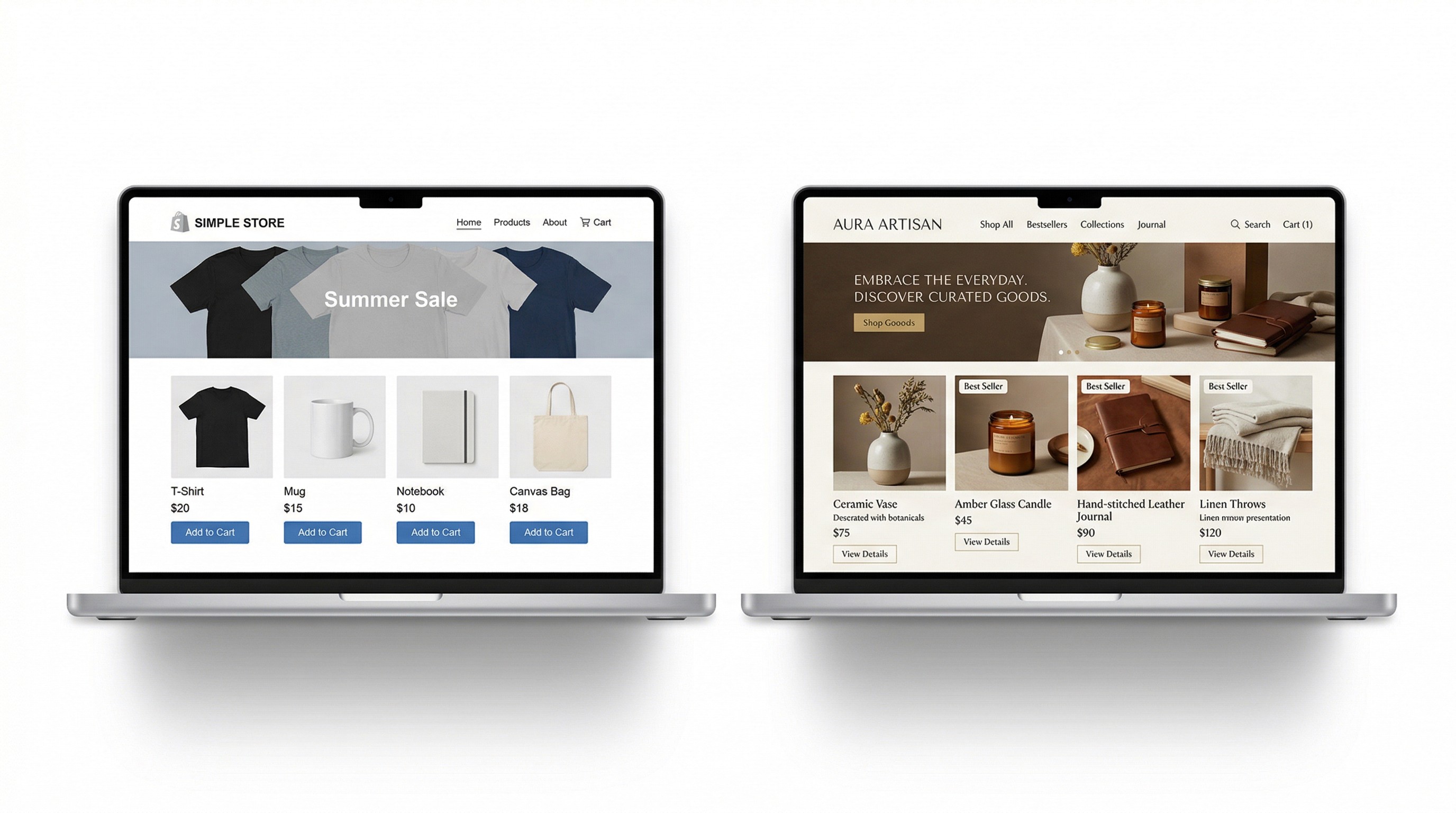
Your theme is your store's visual foundation. It controls how everything looks, how it's laid out, and how customers navigate their way to checkout. Shopify's theme store has free, premium, and fully custom options, and the difference between them matters more than most people think.
Free Themes
Shopify offers a solid selection of free themes that are clean, mobile-responsive, and built for conversion. Dawn, Shopify's default theme, is actually quite capable. It's fast, lightweight, and works well for stores that don't need a lot of visual complexity. If you're just starting out and keeping costs low, a free theme is a genuinely good option.
That said, free themes have limitations. You'll have fewer section options, less layout flexibility, and your store will look similar to thousands of others using the same theme. For some brands, that's fine. For others, it's a dealbreaker.
Premium Themes
Paid themes run anywhere from $180 to $480 as a one-time purchase. Popular options like Prestige, Impulse, and Symmetry come with significantly more layout options, built-in features (like mega menus, advanced filtering, and promotional banners), and more design polish.
For brands that care about standing out visually without going fully custom, a premium theme is often the sweet spot. You get professional design quality without the five-figure price tag of a custom build.
Custom Themes
If your brand has specific design requirements that no off-the-shelf theme can meet, you'll need a custom theme built from scratch. This is where costs jump significantly. A custom Shopify theme, designed and developed specifically for your brand, can cost anywhere from $5,000 to $25,000+ depending on the complexity.
Custom themes make sense for established brands with strong visual identities, unique product display needs, or stores that need functionality not available in existing themes. For a brand-new store testing the waters, a custom theme is almost never the right first investment.
Apps and Plugins: The Cost That Sneaks Up on You
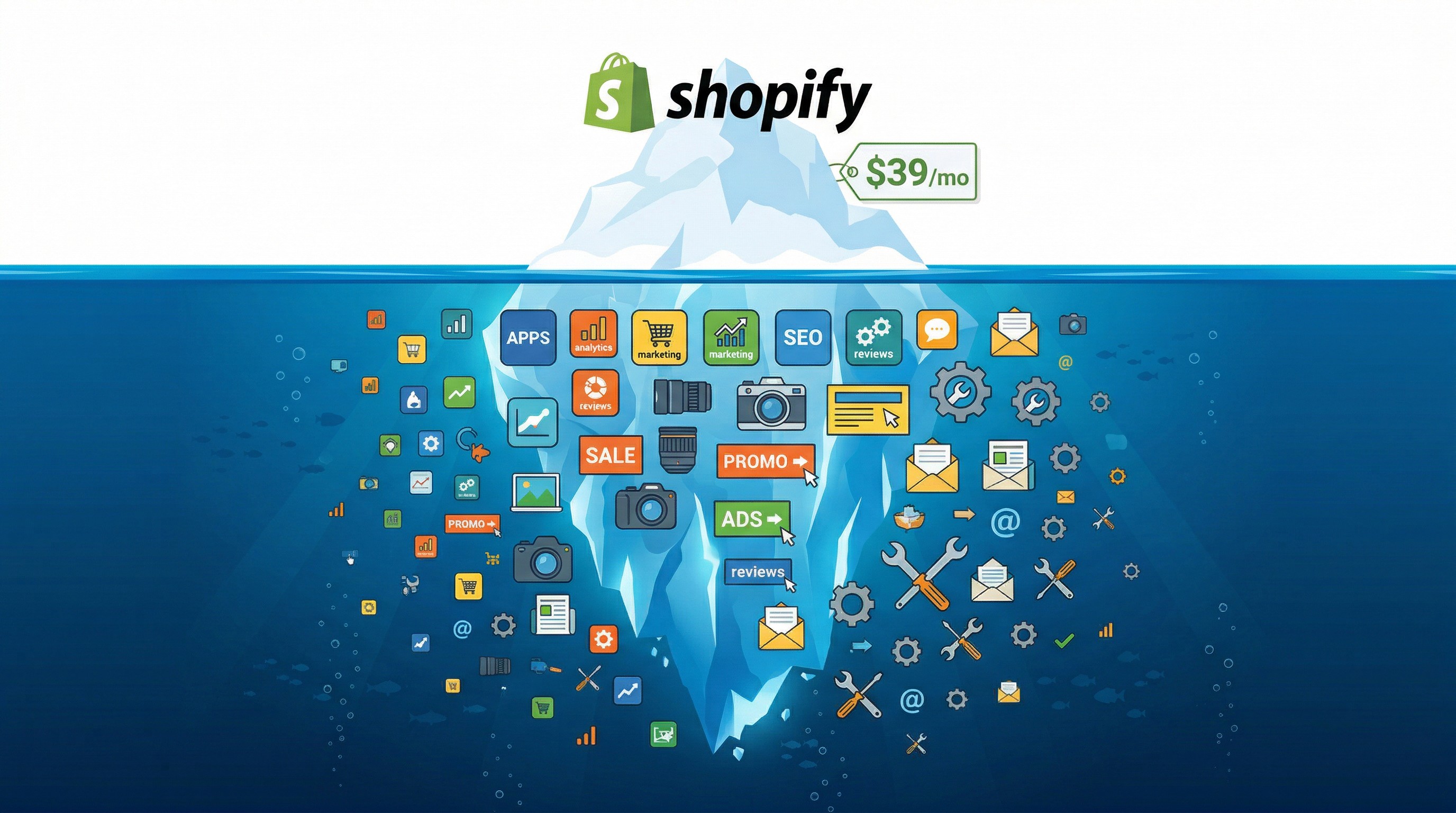
Here's the thing most "how much does Shopify cost" articles either skip or barely touch on: apps add up fast, and they become a significant part of your monthly operating cost.
Out of the box, Shopify gives you the basics. You can list products, accept payments, and manage orders. But to build a truly functional, competitive store, most merchants end up adding apps for things like:
Email marketing — Klaviyo, Omnisend, or Mailchimp. Klaviyo is the gold standard for Shopify email marketing, but its pricing scales with your subscriber count. Expect to pay $20 to $150+/month depending on list size.
Reviews and social proof — Judge.me, Stamped.io, or Loox. Product reviews build trust and directly impact conversion rates. Free plans exist, but paid tiers ($15 to $50/month) unlock features like photo reviews and review request emails.
Upsells and cross-sells — ReConvert, Zipify OneClickUpsell, or Bold Upsell. Post-purchase and in-cart upsells can boost your average order value by 10% to 30%. These typically run $15 to $99/month.
Subscription billing — Recharge or Bold Subscriptions. If you sell consumables or subscription boxes, you'll need one of these. Recharge starts at $99/month plus transaction fees.
Loyalty programs — Smile.io or LoyaltyLion. Loyalty programs help with retention, and pricing ranges from free (basic) to $200+/month for advanced features.
SEO tools — SEOAnt, Booster SEO, or Smart SEO. These help with meta tags, image compression, broken link detection, and structured data. Most are $10 to $40/month.
Shipping and fulfillment — ShipStation, Shippo, or AfterShip. If you're handling your own fulfillment, these tools streamline label printing, tracking, and carrier rate comparison. Pricing varies widely from free to $100+/month.
Individual apps range from free to $100+ per month each. A lean app stack might cost you an extra $100 to $200/month. A more advanced setup with email marketing, reviews, upsells, and subscriptions can easily reach $400 to $600/month or more.
The smartest approach: start lean and only add apps when you have a specific, proven need for them. Every app you install adds to your monthly cost, can slow down your store, and adds another moving part that could break during a theme update. We've seen stores running 20+ apps when they really only needed 6 or 7.
How Much Do People Charge to Set Up a Shopify Store?

This is where the real range kicks in. Setup costs depend almost entirely on who you hire, what you need built, and how much strategy and support comes with the build.
DIY Setup: $0 to $500
If you're comfortable with technology and willing to learn, you can set up a basic Shopify store yourself. You'll invest time rather than money, and Shopify's own documentation, YouTube tutorials, and community forums make this genuinely doable for simple stores.
Your costs here are mainly the platform plan, a theme (free or paid), and maybe a few apps.
Who this works for: Side hustlers, solo founders testing a product idea, or anyone with more time than budget. If you're launching with a handful of products and just need something functional, DIY is a perfectly valid starting point.
The tradeoff: Your store will work, but it probably won't be optimized for conversions, SEO, or speed. You'll learn a lot, but you'll also make mistakes that a professional would have avoided. And those mistakes often cost you more in lost sales over time than the setup fee would have.
Freelancer: $500 to $5,000
A freelance Shopify developer or designer will typically charge somewhere between $500 and $5,000 for a store setup, depending on their experience and the complexity of the project.
On the lower end ($500 to $1,500), you're getting a pre-made theme installed and configured with your branding, basic navigation, and product uploads. It's essentially a "done for you" version of what you could do yourself, but faster and with a more experienced hand.
On the higher end ($2,000 to $5,000), you might get custom homepage sections, app integrations, some Liquid template modifications, and a more refined design. Quality can vary significantly, so always check their portfolio, read client reviews, and ask for references.
Where to find freelancers: Shopify's own Experts directory, Upwork, Fiverr (for budget options), and Toptal (for vetted senior developers). Rates on platforms like Upwork typically range from $25 to $150 per hour depending on the developer's location and experience.
The risk: Freelancers work alone. If the project hits complications, there's no team to lean on. Communication can be inconsistent, timelines can slip, and post-launch support is often limited or nonexistent. You're also responsible for defining the scope clearly, because scope creep with a freelancer can turn a $2,000 project into a $6,000 headache.
Boutique Shopify Agency: $3,000 to $15,000
A specialist Shopify development agency brings more than just development. They bring strategy, UX thinking, conversion optimization, and project management. You're not just getting a store that looks good; you're getting a store built to sell.
For a professionally built store with custom design, thoughtful user experience, proper app integrations, and launch support, expect to invest in the $3,000 to $15,000 range depending on complexity.
Here's what a typical agency engagement includes that freelancer projects often don't:
Discovery and strategy. Before any design or development starts, a good agency will dig into your brand, your target customer, your competitive landscape, and your business goals. This phase shapes everything that follows.
Custom design. Not just picking a theme and swapping colors. Agencies design your store's layout, visual hierarchy, and user flow based on best practices and your specific audience.
Development and QA. Clean, optimized code with thorough quality assurance testing across devices and browsers. Agencies typically have dedicated QA processes that catch issues before launch.
Launch support. Going live isn't just flipping a switch. DNS configuration, payment gateway testing, analytics setup, redirect mapping (especially if you're migrating from another platform), and post-launch monitoring all matter.
Post-launch optimization. Many agencies offer ongoing retainer packages for conversion rate optimization, A/B testing, and iterative improvements based on real data.
Enterprise and Custom Builds: $15,000 to $50,000+
Large-scale projects push well into five figures and sometimes six. These builds are for brands doing serious volume that need highly customized solutions:
Multi-region stores with localized content, currencies, and languages
Complex inventory management with ERP integrations
Custom checkout flows on Shopify Plus
Headless Shopify builds using frameworks like Hydrogen, Next.js, or Gatsby
B2B wholesale portals alongside DTC storefronts
Advanced automation through Shopify Flow, custom webhooks, and API integrations
If you're at this level, you already know you need a specialized agency or development partner, and the investment reflects the complexity of what's being built.
Hidden Costs Most People Don't Plan For
The setup cost is just the beginning. Here are the ongoing and hidden costs that catch first-time store owners off guard:
Photography and Content
Product photography can make or break your conversion rate. Professionally shot product images cost anywhere from $25 to $150+ per product, depending on complexity. Lifestyle photography for your homepage and marketing materials adds another layer of cost. Budget at least $500 to $2,000 for a solid initial product photography session.
If you're bootstrapping, a decent smartphone, a $30 lightbox from Amazon, and some YouTube tutorials on product photography can get you surprisingly far. But eventually, professional photography pays for itself through higher conversion rates.
Copywriting
Product descriptions, collection page copy, your About page, and homepage messaging all matter more than most store owners realize. Hiring a copywriter who understands ecommerce typically costs $50 to $200 per product description or $500 to $2,000 for full site copy.
Generic, bland product descriptions are one of the most common reasons stores underperform. Great copy sells. Mediocre copy just takes up space.
Payment Processing Fees
Shopify Payments charges between 2.4% and 2.9% plus $0.30 per transaction, depending on your plan. These fees are unavoidable (every payment processor charges something similar), but they add up quickly as your revenue grows. At $10,000/month in sales, you're paying roughly $300 to $320/month just in processing fees.
Ongoing Maintenance
Themes need updates. Apps release new versions that occasionally break things. Shopify itself rolls out platform updates. SSL certificates renew. Someone needs to keep an eye on all of this. Budget anywhere from $200 to $1,000/month for ongoing maintenance, whether you handle it yourself or hire someone.
Marketing and Advertising
Your store could be perfect, but if nobody visits it, none of that matters. Plan for at least some marketing budget from day one, whether it's Google Ads, Facebook/Instagram ads, email marketing, or SEO content. Most new Shopify stores should budget at least $500 to $2,000/month for paid advertising while building organic traffic.
DIY vs. Hiring a Professional: Which Is Right for You?
This is the decision that trips up most people, so let's make it straightforward.
Go DIY if:
You're testing a product idea and need to validate demand before investing heavily. Your budget is under $1,000 total. You're tech-comfortable and willing to spend 40 to 80+ hours learning and building. You have a simple product line (under 20 products) and don't need custom functionality. You understand that your first version won't be perfect, and you're okay iterating.
Hire a freelancer if:
You know what you want but don't have the time or technical skills to build it. Your budget is between $1,000 and $5,000. Your requirements are straightforward, meaning a premium theme, standard app integrations, and no heavy customization. You can clearly define the scope in writing before the project starts.
Hire an agency if:
Your store is a primary revenue channel, not a side project. You need strategy and conversion thinking, not just a pretty design. You're launching with a significant product catalog, complex requirements, or migrating from another platform. You want post-launch support and a long-term partner, not just a one-time build. Your budget is $3,000+ and you want to get it right the first time.
The worst financial decision isn't spending money on a professional build. It's spending $2,000 on a cheap build that doesn't convert, then spending another $5,000 six months later to fix everything and start over. We see this pattern constantly, and it's almost always more expensive than doing it right from the start.
What's Actually Worth Paying For?
A lot of people come to us having already spent money on a setup that just doesn't work. The store looks fine on the surface, but it doesn't convert. The theme is too rigid to customize. The apps conflict with each other. The checkout experience is clunky on mobile. The site takes five seconds to load.
Here's what separates a store that looks like a shop from a store that actually sells — and what we focus on in every build you can see in our portfolio:
1. Mobile-first design. Over 70% of ecommerce traffic is on mobile. If your store isn't designed mobile-first, you're leaving money on the table every single day. This isn't about making a desktop site "responsive." It's about designing for the phone screen first and scaling up from there.
2. Fast load times. Google has confirmed page speed as a ranking factor, and shoppers won't wait. Studies show that a one-second delay in load time can reduce conversions by up to 7%. A bloated, slow store costs you both SEO rankings and real revenue. This means optimized images, minimal app bloat, clean code, and a lightweight theme.
3. Conversion-optimized structure. Product pages, cart, and checkout aren't just functional elements. They should be strategically designed to guide buyers forward with as little friction as possible. That means clear CTAs, trust signals (reviews, security badges, return policies), smart product recommendations, and a checkout flow that doesn't ask for unnecessary information.
4. Proper SEO foundations. URL structure, metadata, page titles, schema markup, image alt text, internal linking, and site architecture. These aren't optional extras or things you "get to later." They're the difference between a store that Google finds and ranks, and one it completely ignores. Setting up SEO correctly from day one saves you months of cleanup later.
5. Analytics and tracking. If you can't measure it, you can't improve it. A properly set up store has Google Analytics 4, Facebook Pixel (or Meta Conversions API), and Shopify's native analytics all configured correctly from launch. Without clean data, every marketing dollar you spend is a guess.
Common Mistakes That End Up Costing More
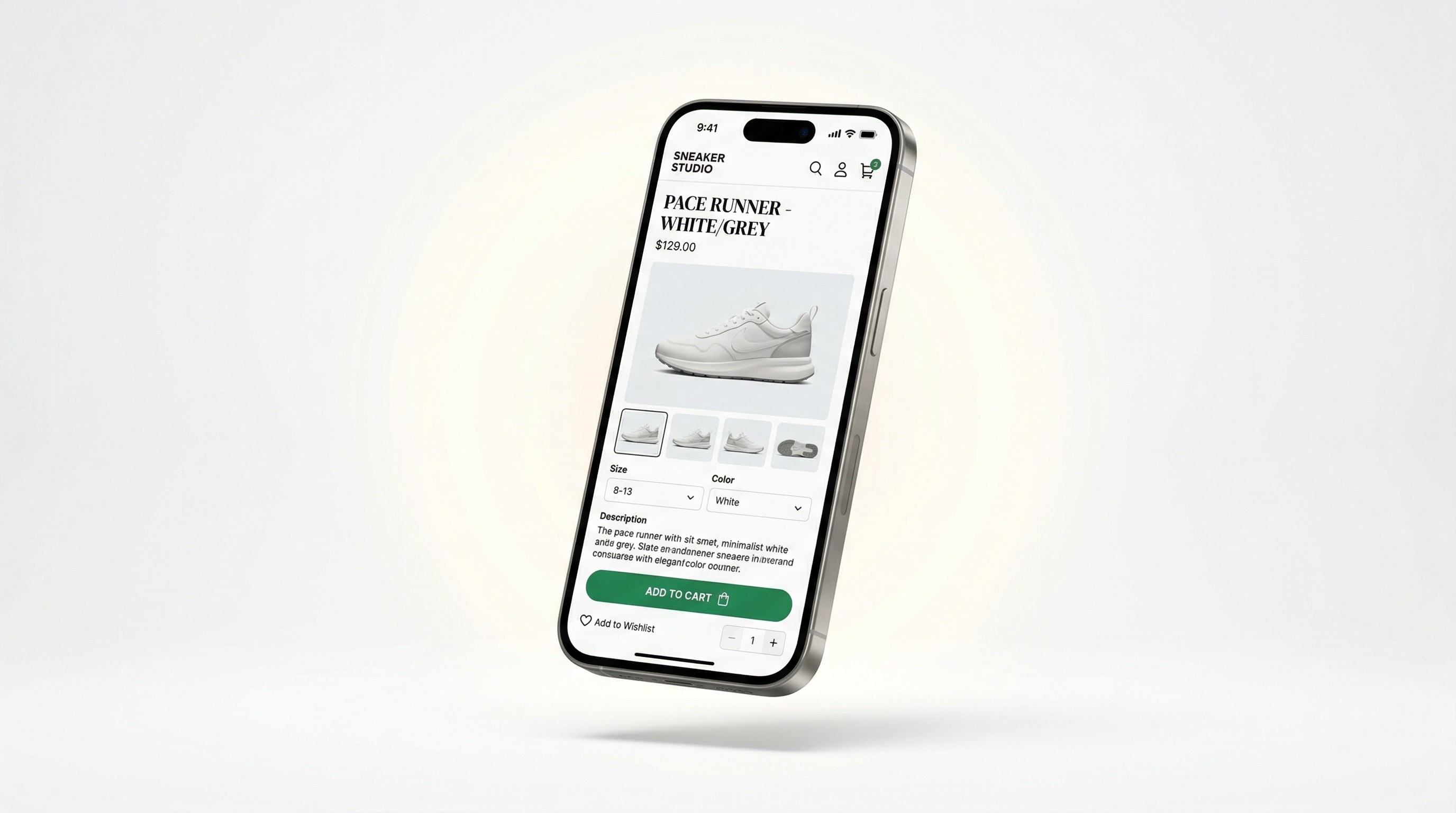
Over years of building Shopify stores, we've seen the same expensive mistakes repeated over and over. Here are the ones to watch out for:
Installing too many apps from day one. Every app adds JavaScript to your store, slows it down, and creates potential conflicts. Start with the absolute essentials and add more only when data shows you need them.
Choosing a theme based on the demo, not your actual content. Theme demos look amazing because they use professional photography and perfectly written copy. Your store will only look that good if you invest in quality content to fill it. Pick a theme that works well with your actual products and images, not the demo's.
Skipping mobile testing. Your store might look perfect on your laptop, but have you actually gone through the entire purchase flow on a phone? Added a product to cart, entered shipping info, completed checkout? Do that before you launch. You'll find problems.
Ignoring page speed. A beautiful store that takes four seconds to load will bleed customers. Use Google PageSpeed Insights to benchmark your performance, and prioritize speed from the start.
Not setting up proper redirects during migration. If you're moving from WooCommerce, Magento, BigCommerce, or another platform, every old URL needs to redirect to its new Shopify equivalent. Skipping this step means losing all your existing SEO authority overnight. We've seen brands lose 50% or more of their organic traffic because redirects weren't handled properly.
Launching without a backup plan for support. Your store will have issues after launch. Something will break, a customer will find a bug, or you'll need to make a quick change. If you don't have a developer or agency on call, those problems sit there and cost you sales.
The Real Question: What Do You Actually Need?
Before you spend a dollar, get clarity on a few things:
How many products are you launching with? A five-product store and a 500-product catalog have very different setup requirements. Large catalogs need smart collection structures, advanced filtering, and often custom import processes.
Are you doing local or international sales? Multi-currency, language, and tax settings add complexity. Shopify Markets makes international selling easier than it used to be, but it still requires thoughtful configuration.
Do you need custom functionality? Subscription products, custom product bundles, B2B pricing tiers, complex inventory logic, or integration with existing business systems (ERP, CRM, POS) all require development work beyond a standard setup.
Are you migrating from another platform? Migrations add a layer of complexity, and cost, that brand-new stores don't have. You'll need to move products, customers, order history, and SEO data carefully to avoid losing anything important.
What does your timeline look like? A rushed launch usually means corners cut, and those corners show up in your conversion rate. A solid Shopify build typically takes 2 to 6 weeks for a standard store and 6 to 12 weeks for complex builds.
Answering these questions honestly before you start will save you from over-investing in things you don't need or under-investing in things that matter.
So, What Should You Budget?
Here's a straightforward summary of what you can expect to spend:
Setup Type | Estimated One-Time Cost |
|---|---|
DIY (basic store) | $50 to $500 |
Freelancer | $500 to $5,000 |
Boutique Shopify Agency | $3,000 to $15,000 |
Enterprise / Custom Build | $15,000 to $50,000+ |
Ongoing Monthly Costs | Estimated Range |
|---|---|
Shopify plan | $5 to $399/month ($29 to $299 annually) |
Apps and plugins | $50 to $500+/month |
Payment processing | 2.4% to 2.9% + $0.30/transaction |
Maintenance and support | $200 to $1,000/month |
Marketing and ads | $500 to $5,000+/month |
Most small-to-mid-size brands launching their first serious Shopify store land somewhere in the $3,000 to $8,000 range for a proper, conversion-ready build. Monthly operating costs (plan + apps + processing) typically settle in around $300 to $800/month before marketing spend.
That's not cheap. But compare it to six months of lost sales from a store that doesn't convert, or the cost of rebuilding everything from scratch after a botched first attempt, and it's an easy investment to justify.
Ready to Build Your Shopify Store the Right Way?

At Starhead Digital, we specialize in building Shopify ecommerce stores that are fast, on-brand, and built to sell. Whether you're launching from scratch, migrating from another platform, or rebuilding a store that's underperforming, we make sure every detail is done right. Not just from a design standpoint, but from a conversion, speed, and SEO standpoint too.
We've helped brands like Salus Saunas go from zero to a high-converting Shopify store, and we've helped established brands fix the problems that were silently killing their sales. Either way, we start with understanding your business before we touch a single line of code.
If you want a store that actually does its job, let's talk. Book a free discovery call and we'll map out exactly what your store needs and what it'll cost. No guesswork, no surprises, just a clear plan.
Want to learn more before you commit? Read more on our blog — we regularly share practical guides on Shopify, ecommerce growth, and conversion optimization.